13 · Connecting vendors and accounts
What you will have done: added a second account with the same vendor — a second Clayinbox, a second Salesforge — both by hand and by asking in chat.
Why more than one account
Three ordinary reasons.
A hard limit. Vendors cap mailboxes per account. Past the cap you buy a second account, not a second vendor.
Separation. Two brands, or two clients, whose mail should never share a reputation.
A migration. Moving between accounts with an overlap, so nothing stops while you move.
The walkthrough
1. Open the provider
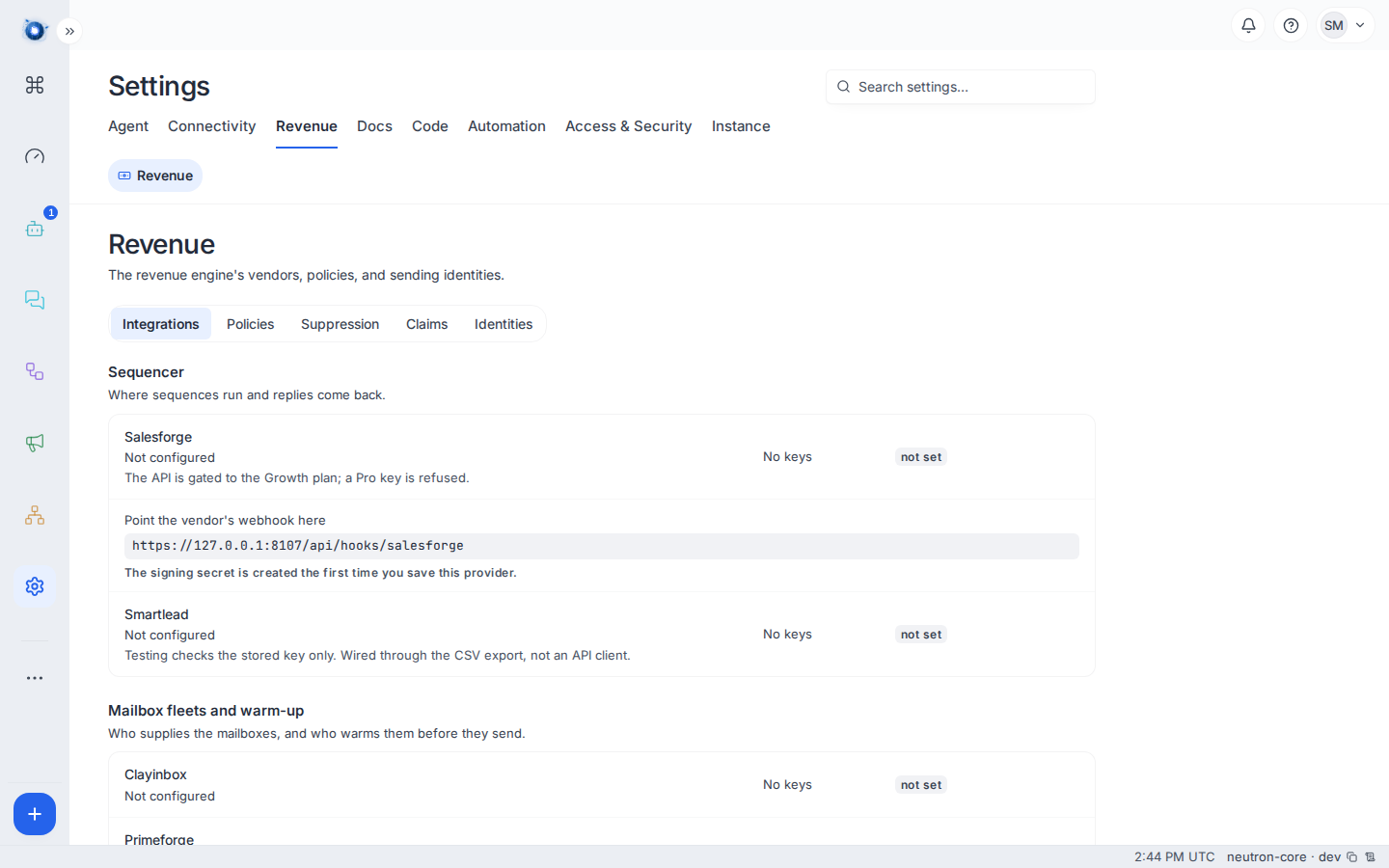
Settings › Revenue › Integrations, and find the provider you already use.
2. Add a second account
Add account on the provider’s card. Each account has a name of its own and its own key.
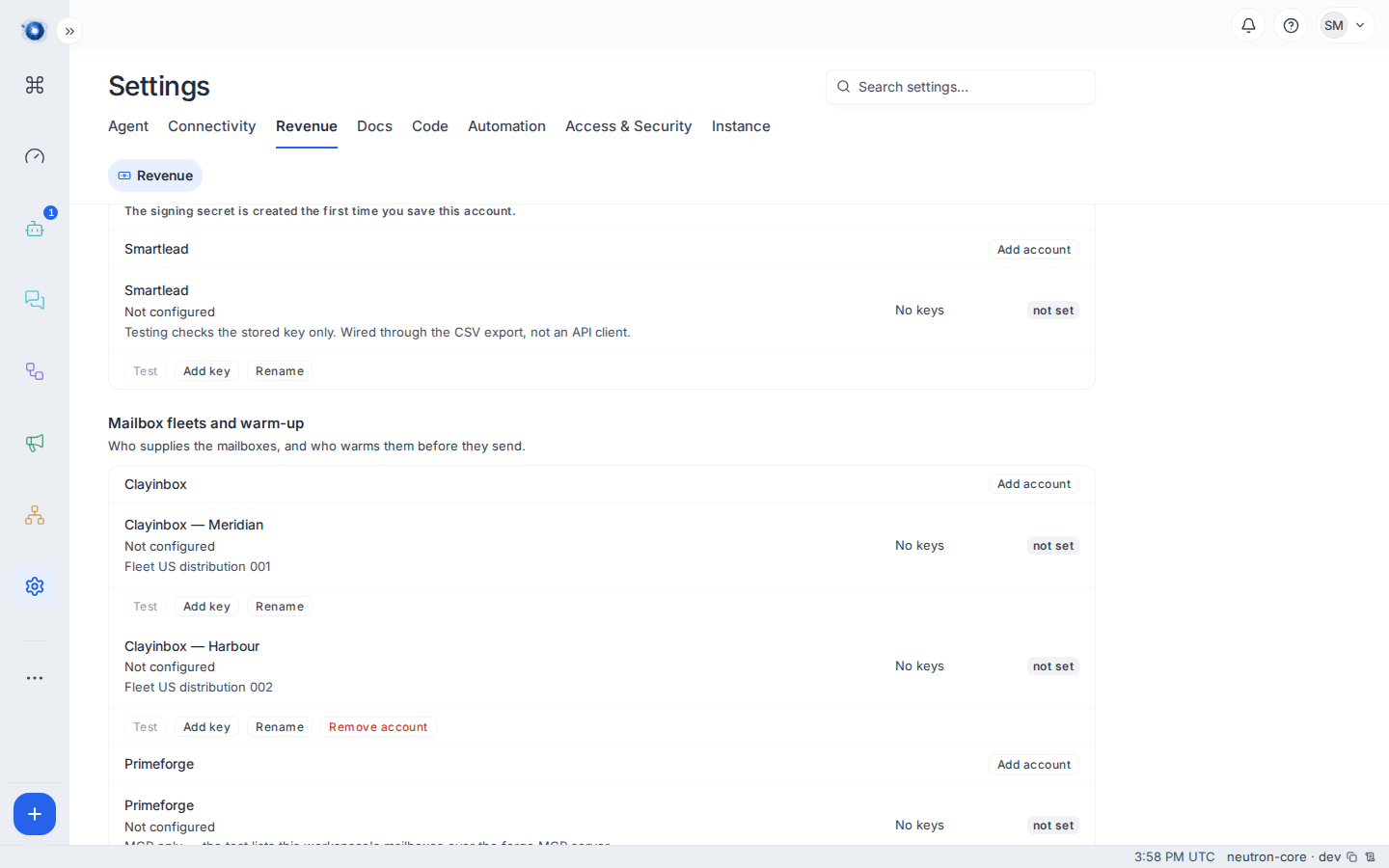
Name it something you will recognise a year from now. Clayinbox — Meridian and Clayinbox — Harbour beat account 1 and account 2.
3. Test each one separately
Each account has its own Test. A green test on the first says nothing about the second.
4. Point fleets at the right account
A fleet belongs to one account. When you buy new mailboxes, choose which account they come from; existing fleets stay where they are.
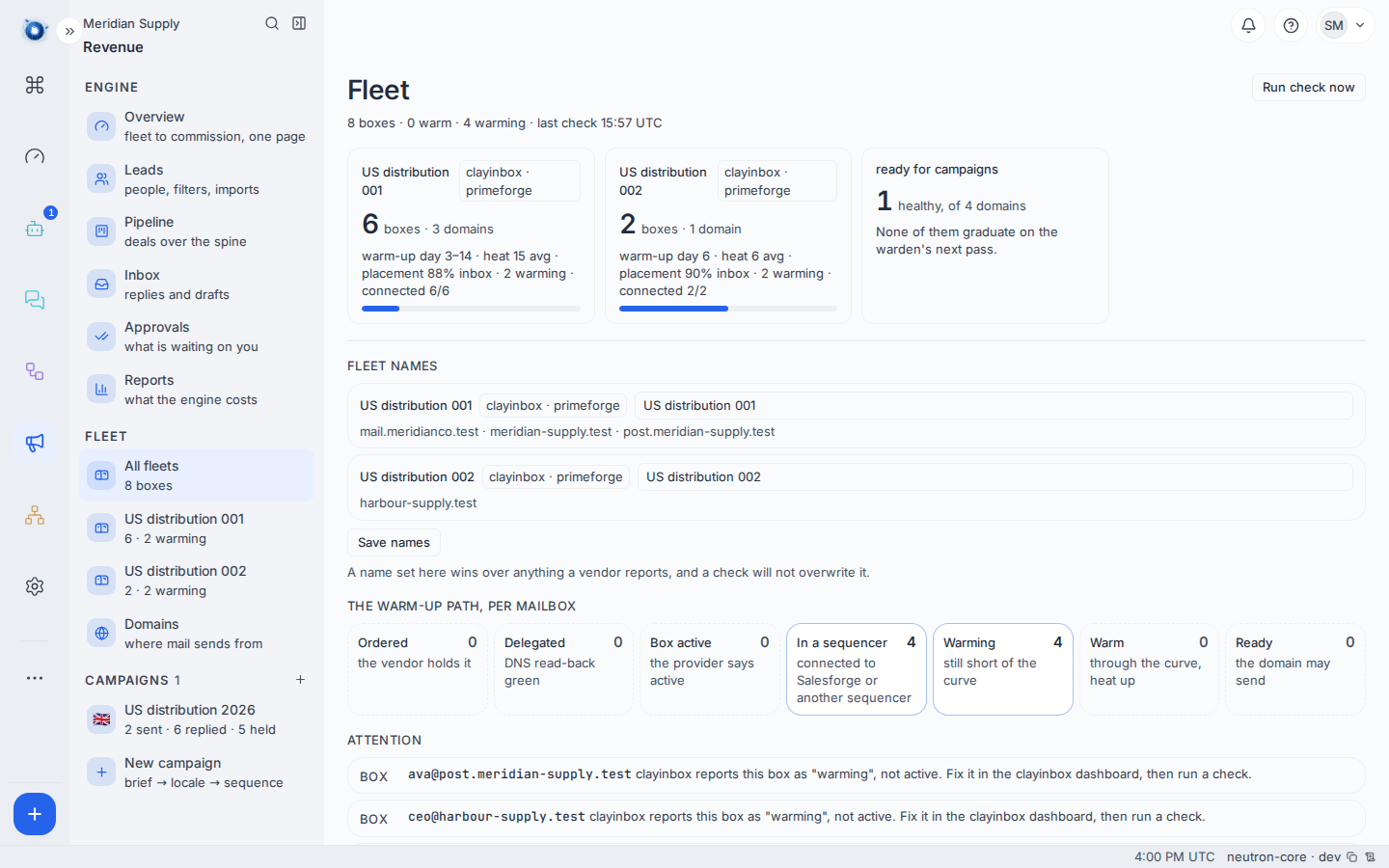
Each fleet tile names the accounts behind it, and the rail lists both.
5. A second sequencer account
The same, with one thing worth getting right: there is one webhook address for the provider, and one signing secret per account.
Paste the same address into every account’s vendor settings. Each account signs with its own secret, and the door tries every secret it holds until one matches. That is why the address under both accounts on the card is identical, and why it is not a mistake.
The secret is created the first time you save an account, which is what the line under the address is telling you.
6. Do the same by asking
The revenue agent has tools for this. In chat:
“Add a second Clayinbox account called Harbour, and put the key I gave you against it.”
It creates the account and stores the key. Adding an account is configuration, not sending, so it does not need approving — but it is on the record like everything else, and the provider card is where you confirm it.
The one thing it will not do is invent a key. It asks you for it.
What changes on the other screens
| Screen | What it shows |
|---|---|
| Costs | One line per account, not per provider. Two Clayinbox accounts are two lines. |
| Fleet | Each fleet says which account supplies it. |
| Domains | Unchanged. Domains are yours, not the vendor’s. |
| Campaigns | A campaign names its sequencer account. |
A worked example
Meridian Supply reach Clayinbox’s cap of fifty mailboxes on their first account.
They add Clayinbox — Meridian 002, test it, and buy a fleet of twenty against it. The Fleet screen shows two fleets against two accounts; Costs shows two Clayinbox lines.
Later they take on a second brand and add a second Salesforge account for it, with its own webhook address in that account’s vendor settings. The two brands’ replies arrive in the same Inbox, each carrying the campaign it belongs to, and neither brand’s reputation touches the other’s.
What to do if
The second account’s Test fails but the first passes. Two keys, two accounts. Check you pasted the key from the right vendor login.
Replies from the second sequencer account never arrive. Not the address, which both accounts share. Save the account once so its signing secret exists, and check the vendor is sending with that account’s own secret.
Costs shows one line where you expected two. A line needs a quantity as well as a price. If the second account has no mailboxes yet, there is nothing to count.
You cannot tell which account a fleet uses. It is on the Fleet screen against the fleet. If it is blank, the fleet predates the second account and belongs to the first.
Confirm it worked: the provider’s card lists both accounts, each with its own key and a green test, and Costs shows a line for each account that has something to count.