12 · If something goes wrong
What you will have done: taken a symptom and found the screen that explains it.
This journey is a lookup table. Find your symptom, read the screen it names.
A send that never arrived
Look at: the person’s timeline, then Revenue › Domains.
Work through it in this order, because each step rules out the one below.
- Was it sent at all? The person’s timeline shows every letter out. No row means it was never sent — it was held or waiting, not lost.
- Was it held? The campaign row in the rail counts held letters, and each says why. Journey 4 lists what lifts each reason.
- Is the domain healthy? A paused domain holds everything behind it.
- Did it bounce? A bounce is on the timeline and marks the person invalid.
- None of those? Then it was handed to the vendor and accepted. Delivery is the vendor’s, and their dashboard is the next place to look.
Sent is not the same as arrived. The engine knows what it handed over; what a receiving server did with it is a different question.
A reply that was mislabelled
Look at: the conversation in Revenue › Inbox.
Click the label and pick the right one. Two things follow: the label changes everywhere, and everything the new reading means is carried out.
Nothing is undone. A cancelled sequence stays cancelled; a suppression stays. If you want somebody written to again after a wrong cancellation, restart them from Leads.
The pair — what the machine said, what you said — is kept, which is how the reading improves.
A domain that paused
Look at: the Needs attention strip on Revenue › Overview, then the domain.
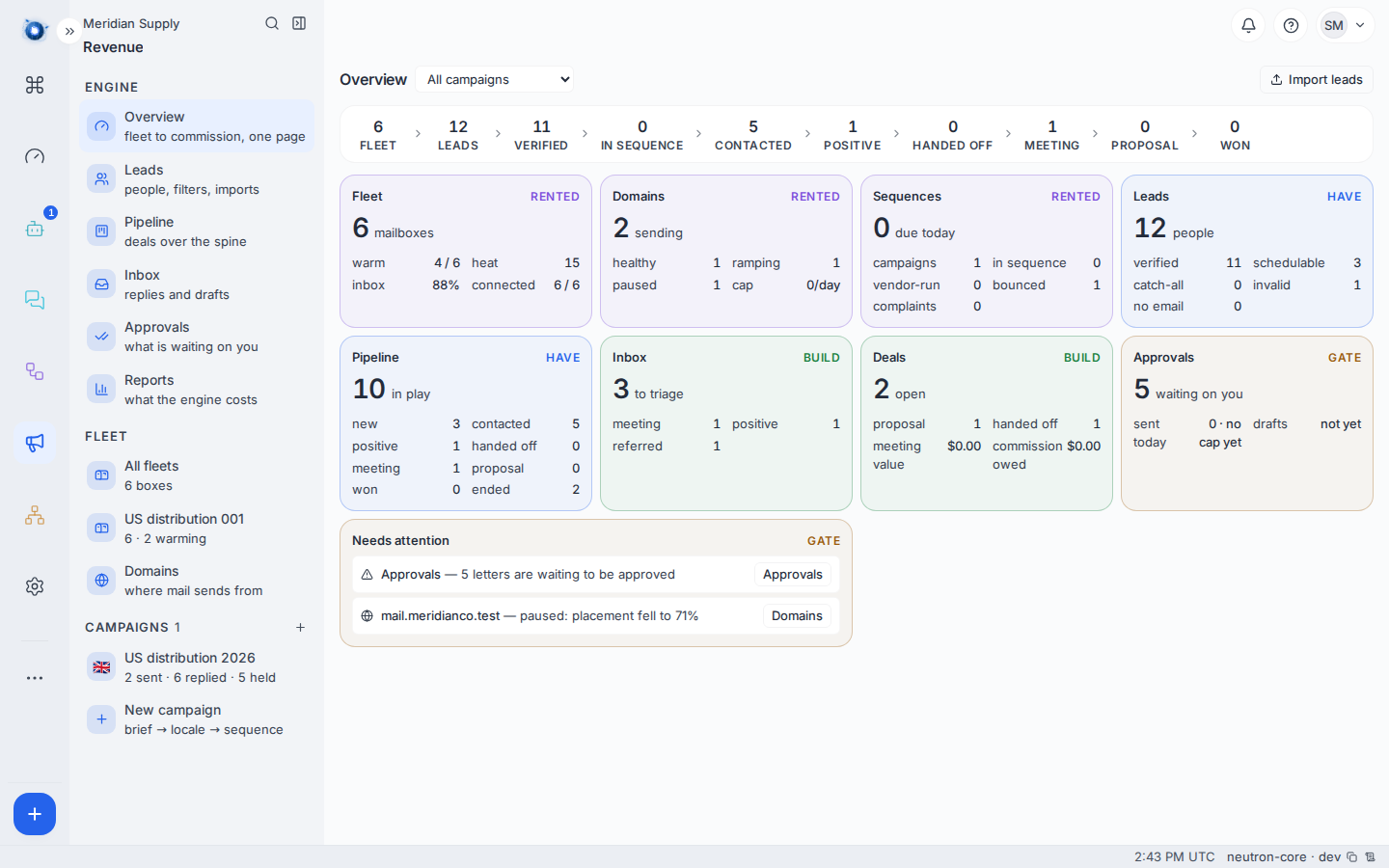
The reason is on the domain and in the incident, in the same words. Fix the cause before un-pausing — journey 8 has the table of causes and what fixing each one means.
A stuck approval
Look at: Revenue › Approvals.
Three different things get called stuck.
Waiting on you is not stuck. It is doing its job.
Held means it is waiting on a fact, not a decision. The row says which fact.
Genuinely stuck — approved and still not sent after an hour — means the sending path is not running. Check the domain first; if the domain is healthy and the letter is approved and still sitting there, that is worth reporting with the campaign and the person.
A price that reads “not set”
Look at: Settings › Revenue › Integrations.
That provider publishes no prices, so nobody could read one. Put your contracted figure on its card. Until then the quantity is counted and the money is not. See journey 9.
A fleet that shows “never checked”
Look at: Revenue › Fleet, then the provider’s card.
It means no check has read that vendor yet. On a new instance it fills in on the next daily pass. If it is still empty a day later, the keys are missing or wrong — Test on the provider’s card will say.
“Never checked” is not “broken”. It is the honest answer to a question nobody has asked yet, and it is deliberately not shown as a zero.
An empty screen that should have something on it
Look at: the campaign filter at the top of the screen.
Most Revenue screens can be narrowed to one campaign. An empty Pipeline with a filter set to a campaign you are not working is the commonest false alarm in the whole engine.
A reply that never appeared
Look at: the provider’s card in Settings › Revenue › Integrations.
Replies reach the Inbox because the sequencer posts them to your webhook address. If that address is not in the vendor’s settings, letters go out and nothing comes back.
Copy the address from the provider’s card into the vendor’s own settings. See journey 1, step 2.
When to report it rather than fix it
Some things are defects, not settings. Report these, with the campaign and the person:
- A follow-up sent to somebody who had already replied
- The same letter offered for approval twice after being refused
- Two deals against one company in one campaign
- A drafted letter citing a claim that is not on the approved list
- A suppressed address receiving anything at all
Each of those is something the engine is built to make impossible. Seeing one is information worth passing on.
Confirm it worked: the symptom is gone from the screen that showed it — the count moved, the domain reads healthy, or the reply is in the Inbox.