10 · Switching a vendor
What you will have done: moved from one vendor to another, and seen for yourself how little of the engine noticed.
Why this is a short journey
Every vendor sits behind a seam. Neutron never speaks a vendor’s language directly; it says what it wants, and one small piece of code per vendor translates.
    flowchart LR
  A["The engine<br/>who, what, when"] --> B["The seam<br/>one entry per vendor"]
  B --> C["Clayinbox"]
  B --> D["Primeforge"]
  B --> E["Warmforge"]
  B --> F["Salesforge"]
Switching a vendor changes one provider entry. It does not change your campaigns, your people, your history, or the letters you have already sent.
The walkthrough
1. Add the new vendor’s keys
Settings › Revenue › Integrations, find the new provider, paste the key, Test.
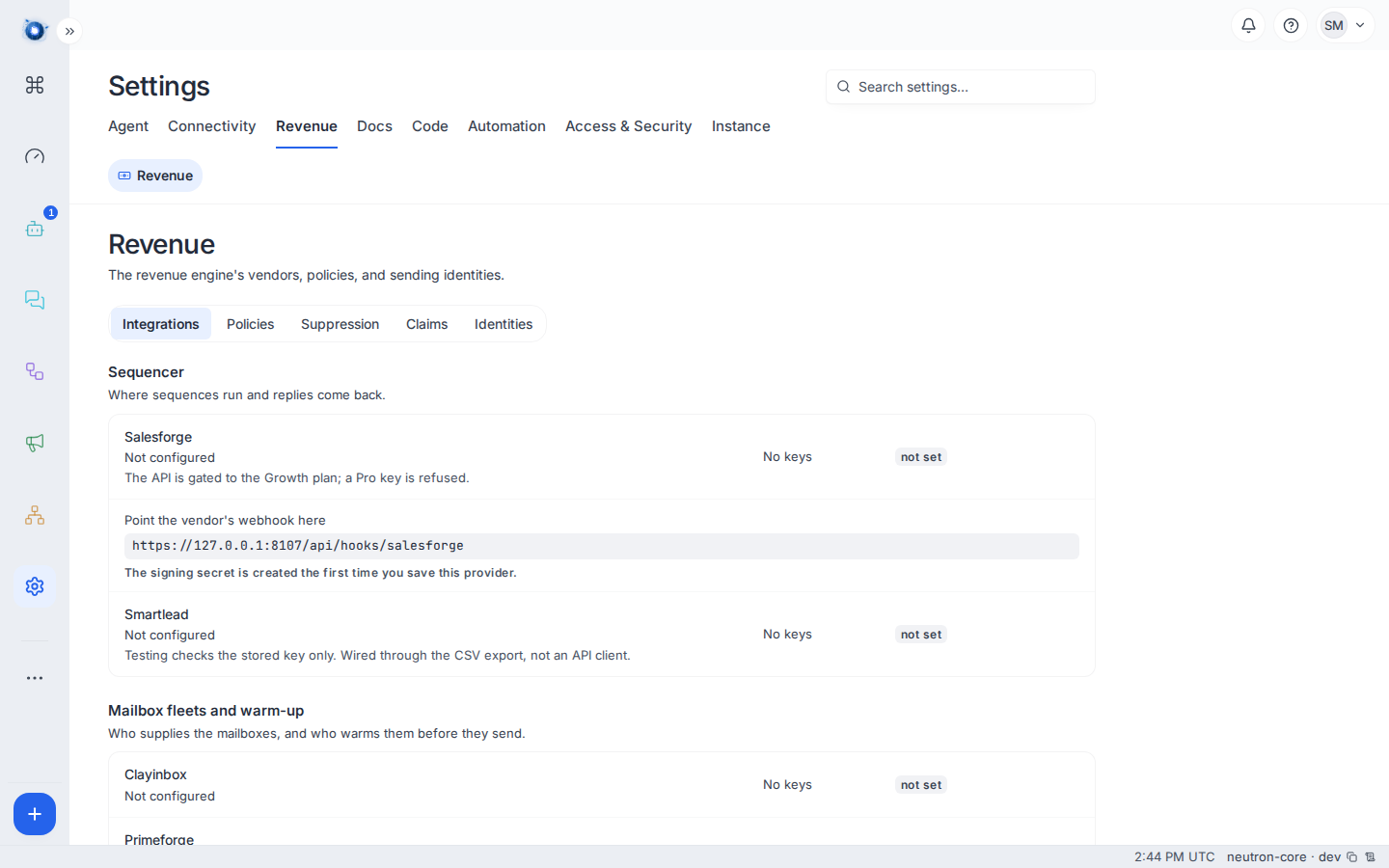
You may have both the old and the new configured at once. Nothing forces you to switch off the first to add the second.
2. If it is the sequencer, point its webhook at you
Sequencers push events — replies, bounces, opens. Copy the webhook address from the provider’s card into the new vendor’s settings.
Do this before you switch, not after. A sequencer that is sending but not reporting is the worst of both: letters go out and nothing comes back to be read.
3. Switch the campaign
A campaign names its sequencer. Change it on Setup, and letters minted from then on go through the new one.
4. Let the old one drain
Letters already handed to the old vendor stay with the old vendor. Leave its keys in place until its last letter has gone and its replies have arrived — a week is usually enough.
What changes, and what does not
| Changes | Does not change |
|---|---|
| One provider entry | Your campaigns and their sequences |
| The webhook address the vendor posts to | Every person, company and deal |
| Which vendor new letters go through | Every letter already sent, and its replies |
| The prices on the Costs page | Suppressions — permanent and vendor-independent |
| Domains, DNS, and warm-up state | |
| The seven labels and everything they do |
A worked example
Meridian Supply move mailbox supply from one provider to another.
- They add the new provider’s key. Test is green.
- They buy a fleet from the new provider and name it US distribution 002.
- The new mailboxes begin a 14-day warm-up. Nothing sends from them yet.
- Two weeks later the new fleet is warm. They stop buying from the old one and let its mailboxes retire.
At no point did a campaign, a person, or a deal change. The Costs page grew a line and later lost one.
What to do if
Both vendors are billing you. Expected during the overlap. Retire the old fleet once its mailboxes are unused, and the line leaves the Costs page.
Replies stopped after switching sequencer. The webhook. It is almost always the webhook. Re-copy the address from the provider’s card into the vendor’s settings.
The new vendor’s mailboxes are warm but nothing sends. Their domain must be healthy too. See journey 8.
You want to switch back. Point the campaign at the old sequencer again. Nothing was lost; the seam works in both directions.
Confirm it worked: Settings › Revenue › Integrations shows the new provider configured with keys, and the campaign’s Setup names it as the sequencer.