9 · Knowing what it costs
What you will have done: read what the engine costs to run for a month, understood why some prices come from the vendor and some from you, and known what the number does and does not include.
The walkthrough
1. Open Costs
Revenue › Reports.
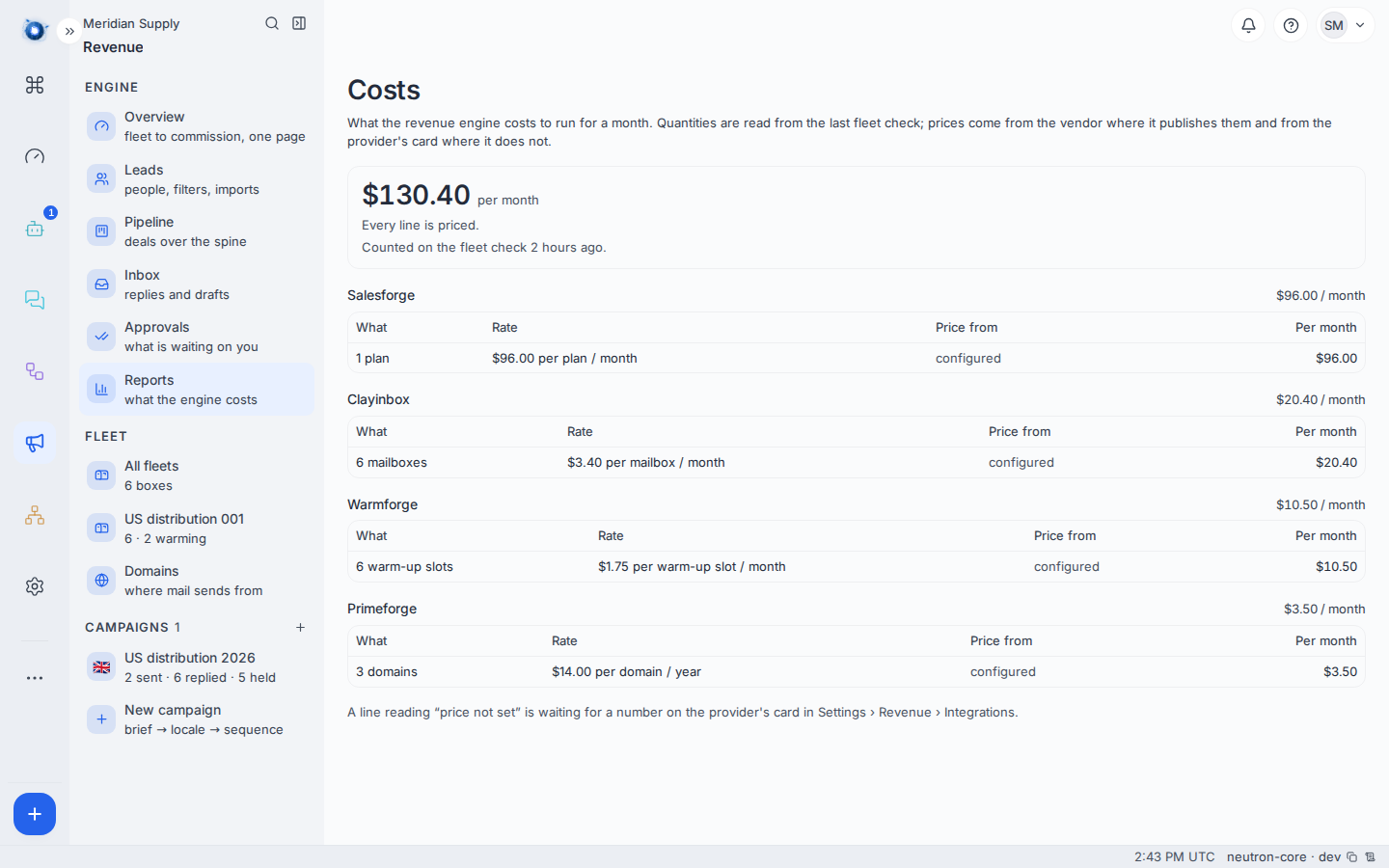
On a new instance it reads honestly instead, in two separate sentences, because they are two separate problems:
No provider is configured yet, so there is nothing to price. No fleet check has run yet, so nothing here has been counted.
One is about prices; the other is about quantities.
2. Understand the two halves of every figure
Every line is a quantity times a price, and the two come from different places.
    flowchart LR
  A["Quantity<br/>read from the last fleet check"] --> C["A line on this page"]
  B["Price<br/>from the vendor, or from you"] --> C
Quantities are counted from the last fleet check — how many mailboxes, how many domains. If no check has run, there is nothing to multiply.
Prices come from the vendor where the vendor publishes them, and from the provider’s card in Settings › Revenue › Integrations where it does not.
3. Read “configured” against “from the vendor”
Each line says which kind of price it used.
From the vendor means the vendor’s own API told us, and the figure moves when their price does.
Configured means you typed it in, because that vendor does not publish prices. It is right until their price changes and nobody updates it.
A line reading price not set is a real quantity with no price against it. Put a number on the provider’s card.
4. Understand currencies
Providers bill in their own currencies. Each line is shown in the currency it is billed in, and lines in different currencies are not added together — an exchange rate on the day would make the total move for reasons that have nothing to do with your spending.
5. Understand “a floor rather than a total”
This is the most important sentence on the page.
The figure is a floor: the least this can cost, not the most. It counts what the engine can see — mailboxes, domains, warm-up seats, the sequencer. It does not count anything nobody told it about.
Not counted: vendor plan fees the API does not expose, anything bought outside the engine, model and inference spend, or a vendor whose price is not set.
Treat it as “at least this much”, and reconcile against the vendors’ own invoices monthly.
A worked example
Meridian Supply configure all four vendors and run for a month. Costs shows four lines: mailboxes from Clayinbox, domains from Primeforge, warm-up seats from Warmforge, and the sequencer from Salesforge.
Three read from the vendor. One reads configured, because that vendor publishes no prices and somebody typed the figure from a contract.
The month’s floor is a number they can put in front of a finance team, with the sentence that matters: it is at least this, and the vendor invoices are what settle it.
What to do if
It reads $0.00 and you know you are spending money. One of the two halves is missing. The page says which: no provider configured is a price problem, no fleet check is a quantity problem.
A line reads “price not set”. That provider publishes no prices, so nobody could read one. Put your contracted price on its card in Settings › Revenue › Integrations.
A figure looks far too low. It is a floor. Read the list above of what it does not count; a plan fee the API does not expose is the usual gap.
The total does not match the invoice. It should not, exactly. The engine counts what it can see. Persistent large gaps are worth chasing — start with whether a vendor changed a price that is configured rather than read.
Two lines are in different currencies and you want one number. Deliberately not offered. Convert at whatever rate your finance team uses, outside the engine.
Confirm it worked: Revenue › Reports shows a line per configured provider, each saying whether its price came from the vendor or from you.