8 · Keeping the fleet healthy
What you will have done: read the daily health check, understood heat and placement, found out why a domain paused, and brought it back.
What can go wrong, and who watches it
    flowchart TD
  A["Your domains and mailboxes"] --> B["The daily health check"]
  B --> C{"Anything wrong?"}
  C -->|"placement fell"| D["Pause the domain"]
  C -->|"on a blocklist"| D
  C -->|"too much volume"| E["Hold the extra"]
  C -->|"all well"| F["Carry on"]
  D --> G["An incident, and a message in the room"]
The walkthrough
1. Read the Fleet screen
Revenue › Fleet lists every mailbox: which fleet it belongs to, whose it is, where it is in warm-up, and when it was last checked.
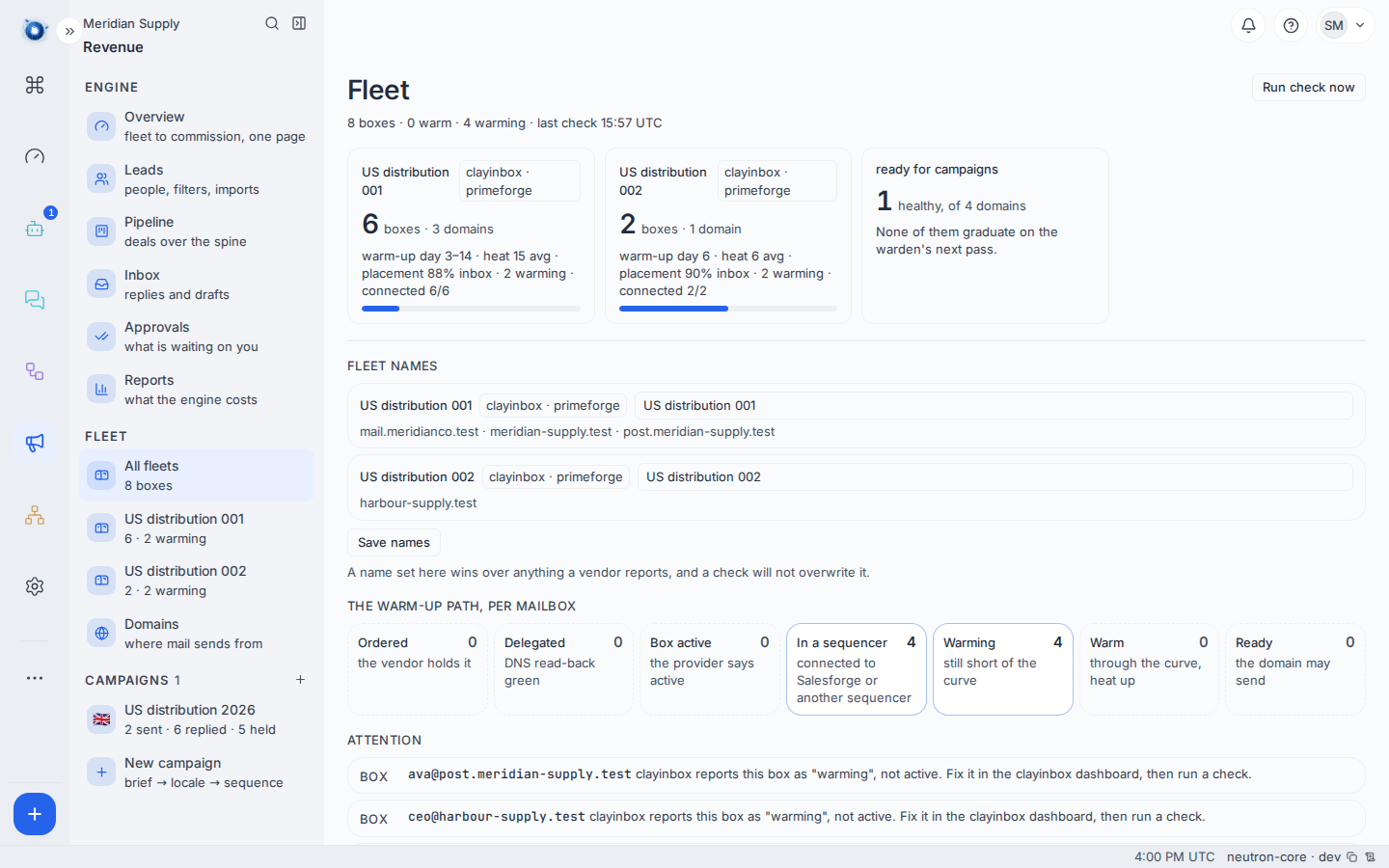
The three numbers to know:
Warm-up is how far through the ramp a mailbox is — day 3 of 14. Until it finishes, that mailbox may not carry campaign mail.
Heat is how much this mailbox has sent recently against how much it is allowed to. A mailbox at its cap sends nothing more today, and the letters wait.
Placement is what proportion of test mail landed in an inbox rather than in spam. It is the single best early warning; it falls before anything else does.
2. Read the Domains screen
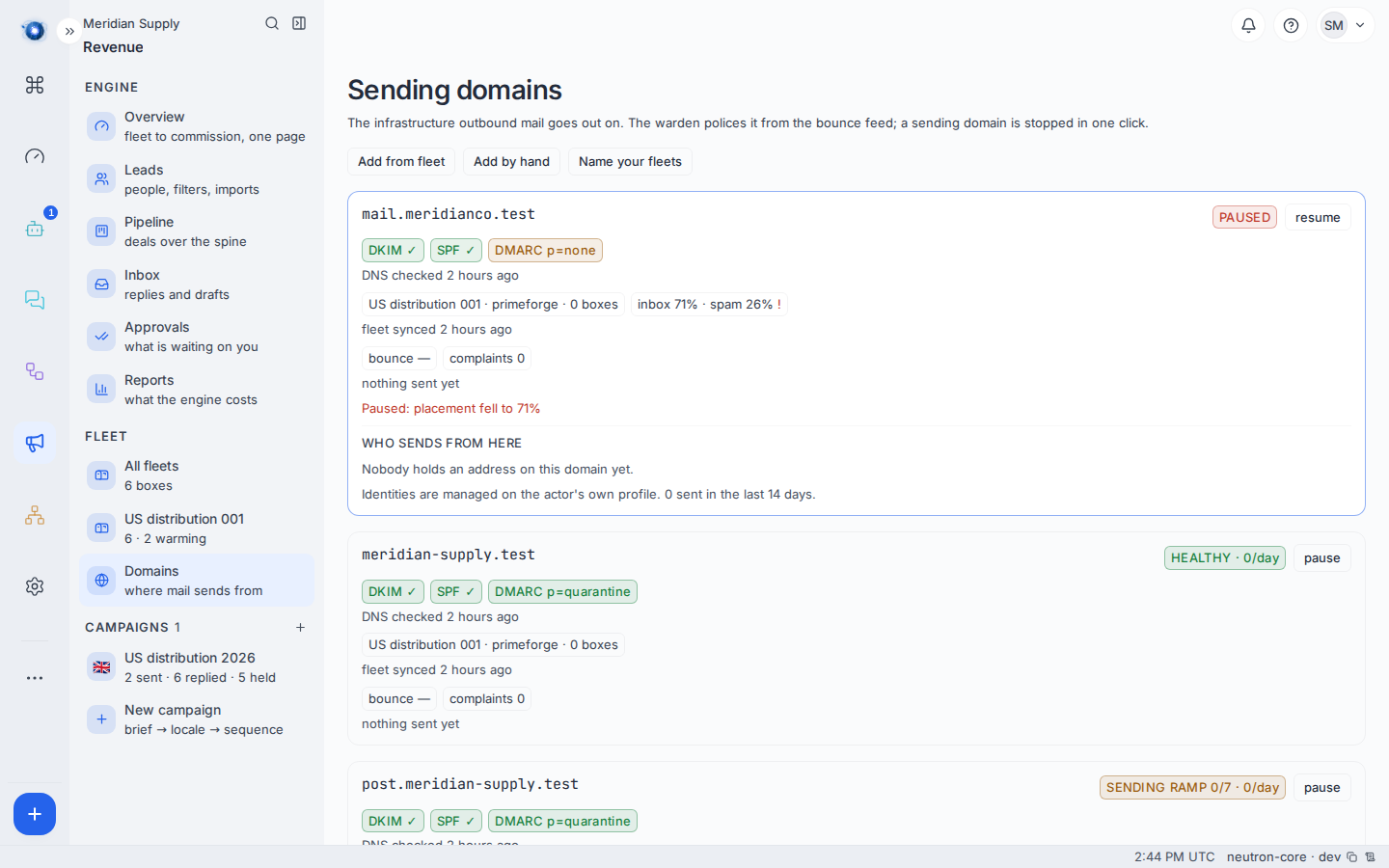
Each domain shows its state, its DNS records, and when its event feed was last proven.
The three DNS records matter and are not optional. SPF says which servers may send as you. DKIM signs your mail so it cannot be forged. DMARC tells receivers what to do when the first two fail. A domain missing any of them will eventually be treated as suspicious, whatever else you do.
“Event feed proven” means the vendor is actually telling us what happens to mail. Without it, everything else is a guess — the engine would think letters are arriving because nobody said otherwise.
3. What the daily check does
Once a day, every domain and mailbox is checked: placement, heat, blocklists, DNS, and whether the event feed is still alive.
What it produces is the Attention list at the foot of the Fleet screen, where each row is one finding against one mailbox or domain, in the words of the thing that found it:
[email protected]— 26% of this box’s seeded mail landed in spam.
The check itself is a schedule, and you can run it on demand with Run check now at the top of the Fleet screen.
4. What the warden does when something is wrong
The warden pauses a domain. Not a mailbox, not a campaign — the domain, because deliverability is a property of the domain and a bad one poisons everything sent from it.
When it pauses one, three things happen: the domain’s state becomes paused with the reason recorded, an incident is opened, and a message goes to the room so a person finds out without watching a screen.
You will see it first as the Needs attention strip on the cockpit:
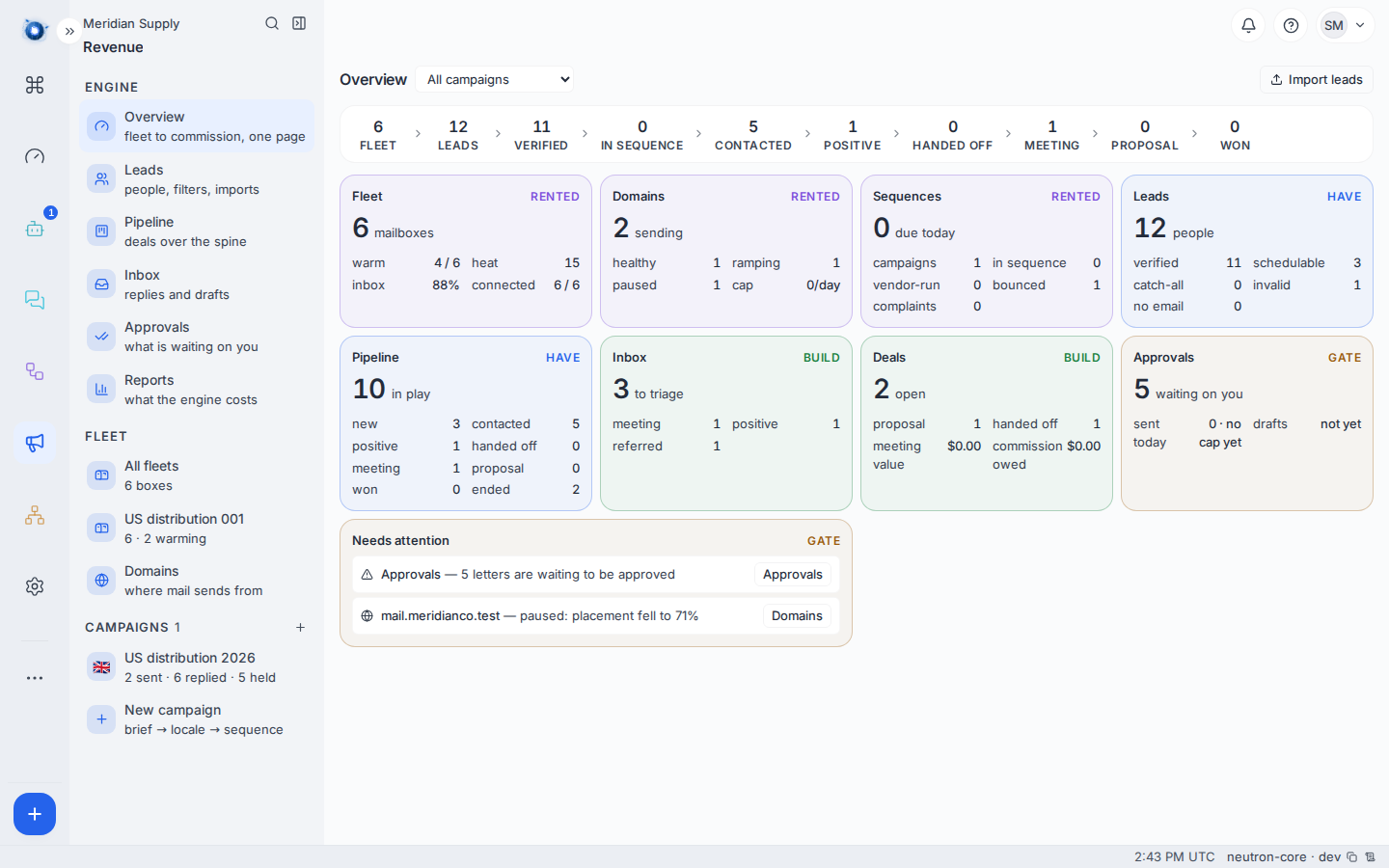
mail.meridianco.test— paused: placement fell to 71%
5. Bring a domain back
Fix the cause first. Then un-pause it from Revenue › Domains.
| Reason | What fixing it means |
|---|---|
| Placement fell | Reduce volume, improve the letters, let it rest. Placement recovers slowly. |
| On a blocklist | Request delisting with the blocklist operator. Un-pausing before delisting achieves nothing. |
| DNS missing | Add the record. It is a five-minute job with whoever holds the domain. |
| Event feed unproven | The vendor’s webhook is not reaching you. See journey 1, step 2. |
6. Re-verification after a bounce
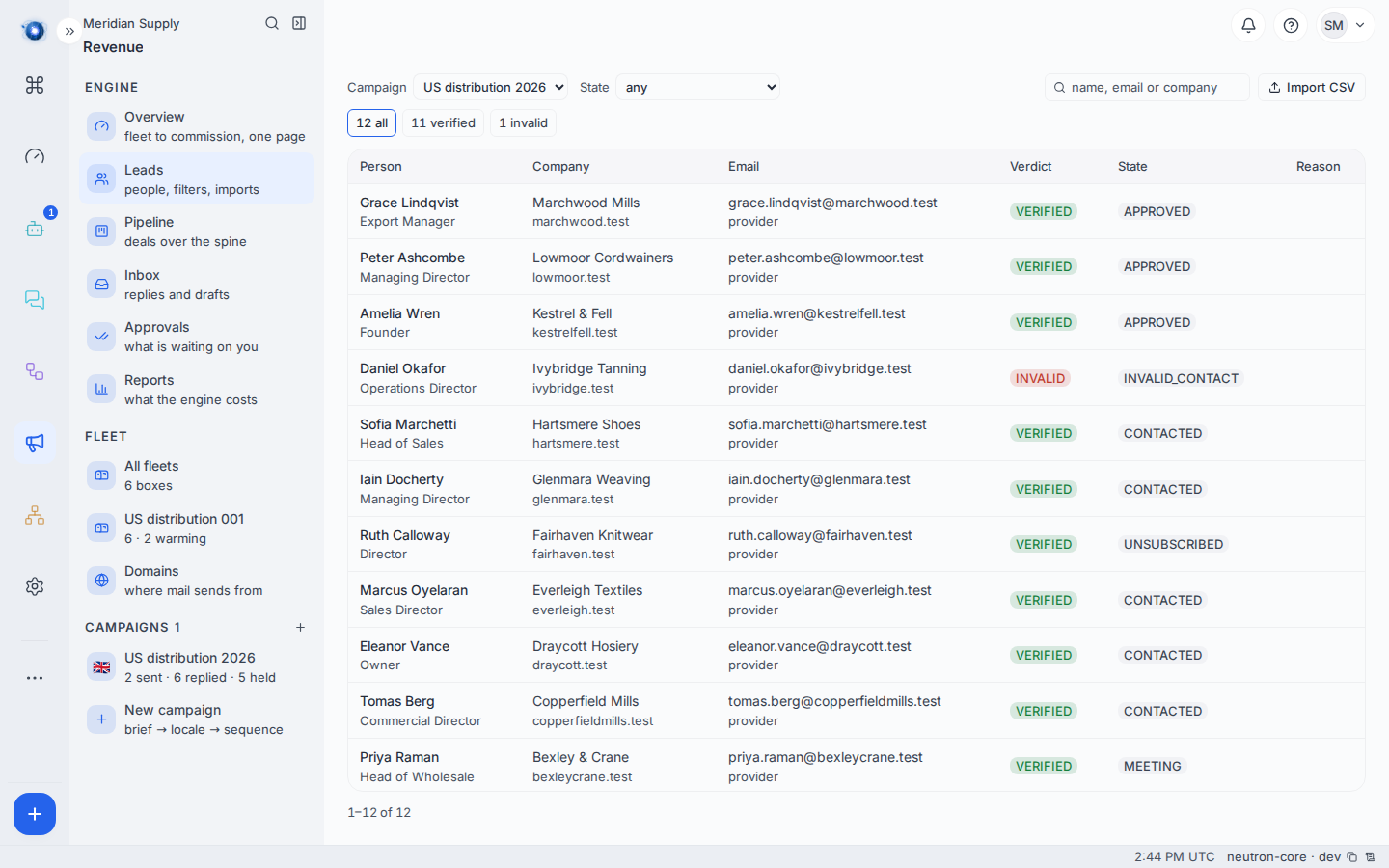
When an address bounces, the person becomes invalid. Re-verification asks again later. A verdict of probable is enough to revive somebody, and their sequence continues from the next unsent step. See journey 6.
A worked example
Meridian Supply’s cockpit shows one line under Needs attention:
mail.meridianco.test— paused: placement fell to 71%
They open Domains. The domain has full DNS and a proven feed, so it is not a configuration fault — it is volume. They had been sending 300 letters a day from a domain warmed for 60.
They leave it paused for two weeks, halve the daily cap, and un-pause. Placement climbs back over the following fortnight.
Meanwhile meridian-supply.test is healthy and post.meridian-supply.test is on day 3 of 14. Sending continues from the healthy one.
What to do if
Everything says “never checked”. No check has run yet. It fills in on the next daily pass. If it is still empty after a day, the vendor keys are probably not saved — see journey 1.
Placement is falling on a healthy domain. Reduce volume before it gets paused for you. Falling placement is the early warning; a pause is the late one.
A domain paused and you cannot see why. The reason is on the domain itself and in the incident. Both say the same thing in the same words.
A mailbox is warm but nothing sends from it. Its domain is probably not healthy. The domain gates the mailbox, not the other way round.
The vendor’s dashboard and this screen disagree. The vendor is the source for warm-up and placement; the engine reads it and does not invent it. If they differ, the engine’s copy is stale and the next daily check corrects it.
Confirm it worked: the domain reads healthy on Revenue › Domains, and the Needs attention strip on the cockpit no longer names it.