7 · Answering a positive reply
What you will have done: read the answer the engine drafted, edited it, sent it, and moved the deal that opened.
The walkthrough
1. A positive reply arrives with an answer already written
When a reply reads as positive, meeting or more info, a draft is written for it and waits in the thread as a dashed card. It says who wrote it and how many approved claims it cites.
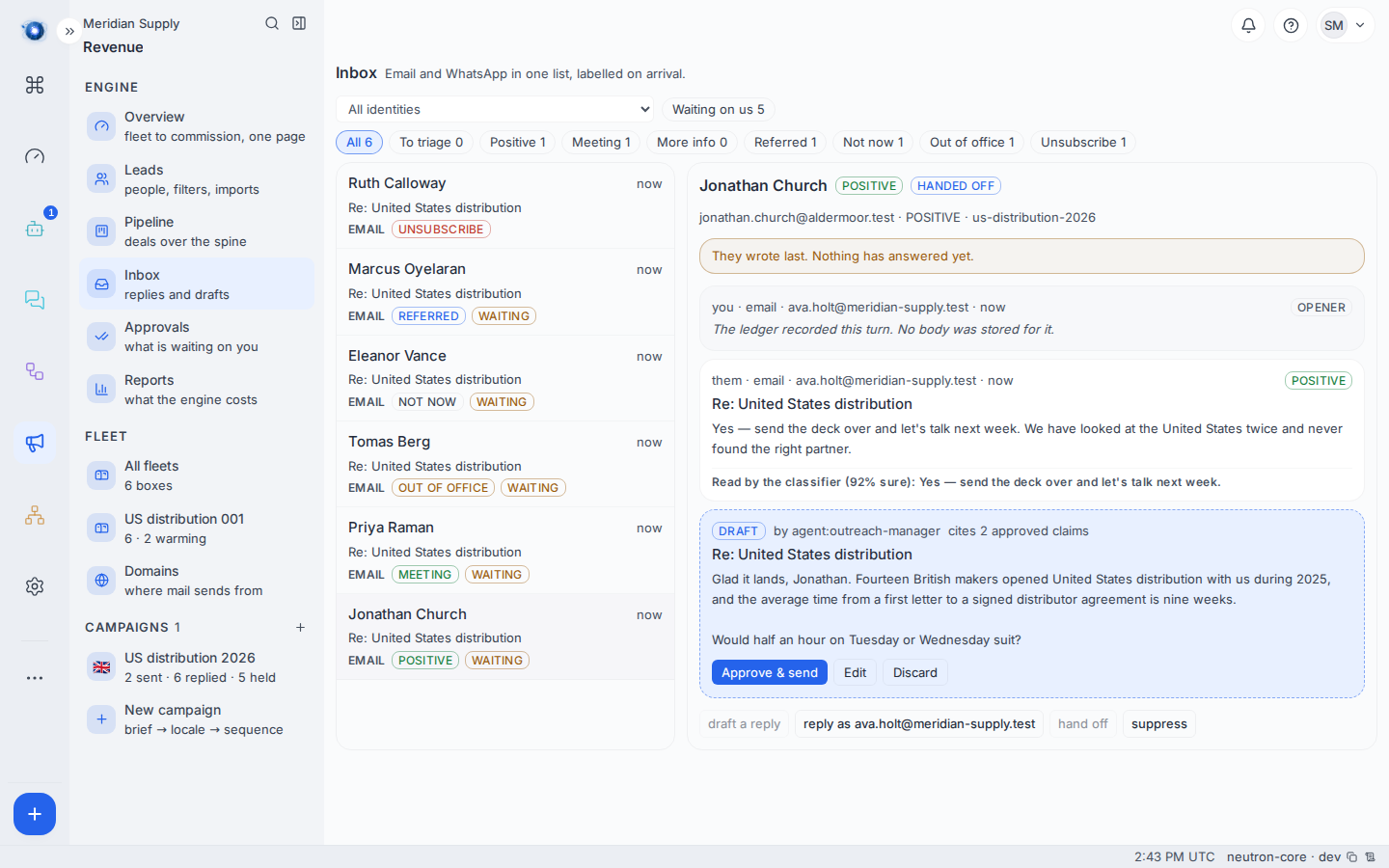
The card says who wrote it and how many approved claims it cites, and carries the three buttons: Approve & send, Edit, Discard.
Nothing has been sent. A draft is not a message; it is a suggestion sitting in a drawer.
2. Read what it cites
A draft may only cite evidence approved for that campaign’s language and still in date — the list from journey 2, step 4.
This is checked twice: when the draft is written, and again when you approve it. Twice, because a claim can be retired between the two, and approving is the moment the letter becomes something you said.
3. Edit it, or send it
Three buttons: Approve & send, edit first, or discard.
Editing is a plain text box. If you paste in a claim of your own that is not on the approved list, the edit is refused with the same words the draft would have been.
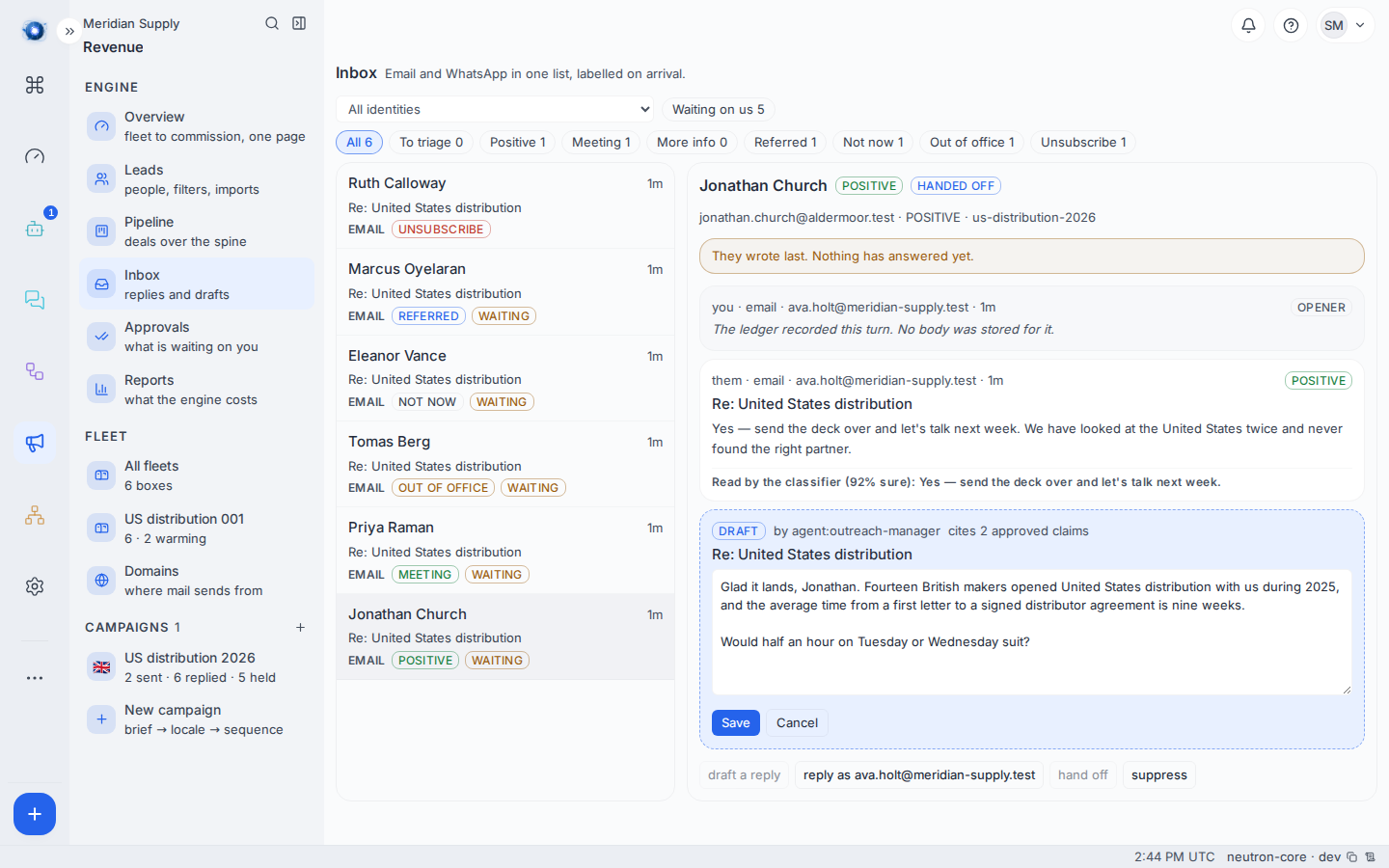
4. Approve and send
The letter goes out through whichever sequencer the campaign runs on, and what went out is stored like every other message — so the thread afterwards shows the reply you sent, with its words, not just the fact of it.
Three things are checked at the moment you approve, and any of them refuses the send outright:
| Refused because | What it means |
|---|---|
| the address is suppressed | They asked to be left alone between the draft and now. |
| their run has ended | They unsubscribed, declined, or were disqualified in the meantime. |
| a claim was retired | Something the letter cites is no longer approved. |
A refusal appears on the draft card in the server’s own words. It is not silent, and the letter is still there to edit.
Approving twice sends once. The second click finds the draft already taken and says so.
5. The deal that opened
A positive reply opens a deal by itself — you do not create one. Find it on the campaign’s Deals tab.
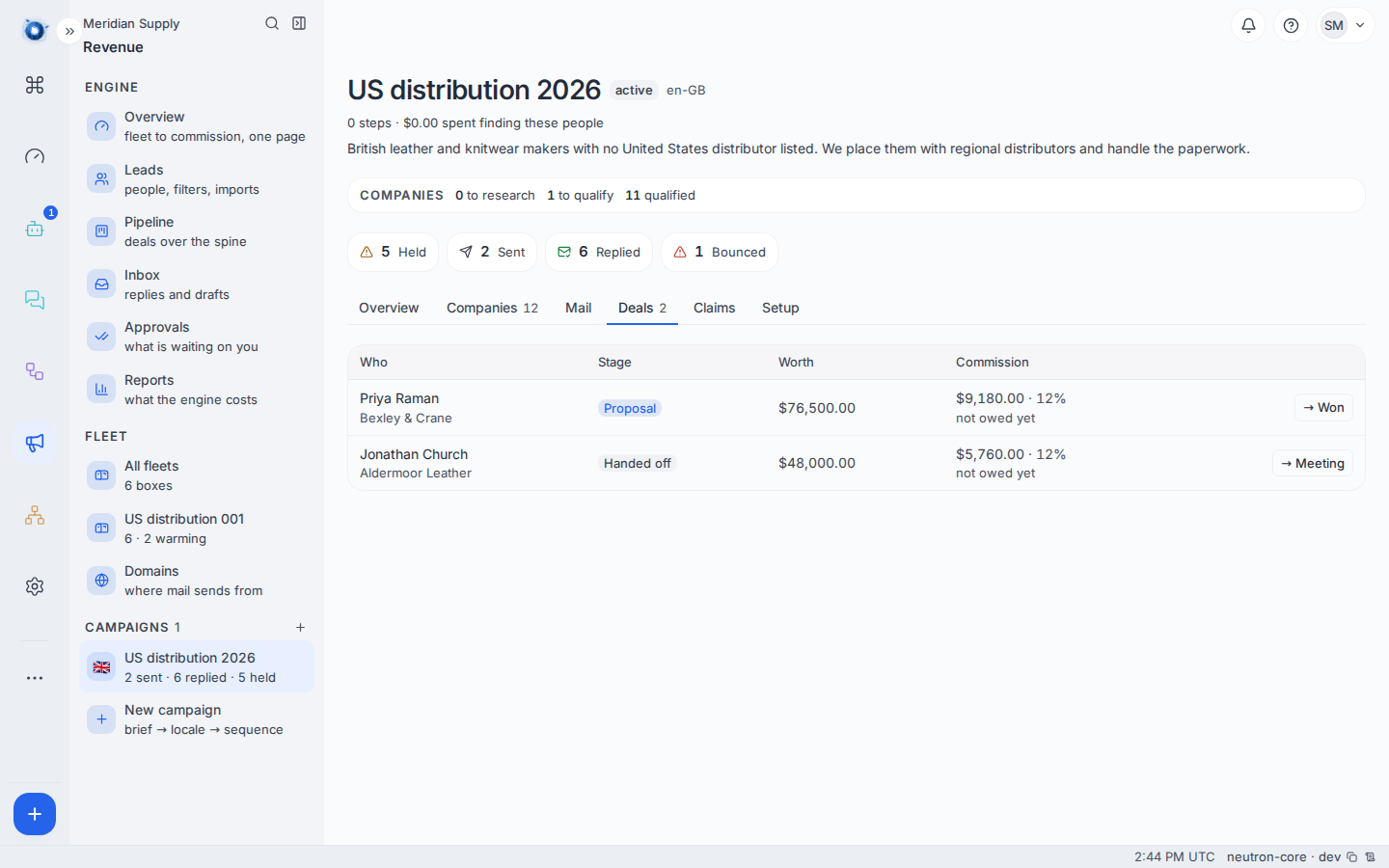
A deal belongs to the company, not to the person, so two people at one company answering does not owe you two commissions.
6. Move it
Deals move along their own short spine: handed off, meeting, proposal, won, commission due, commission paid.
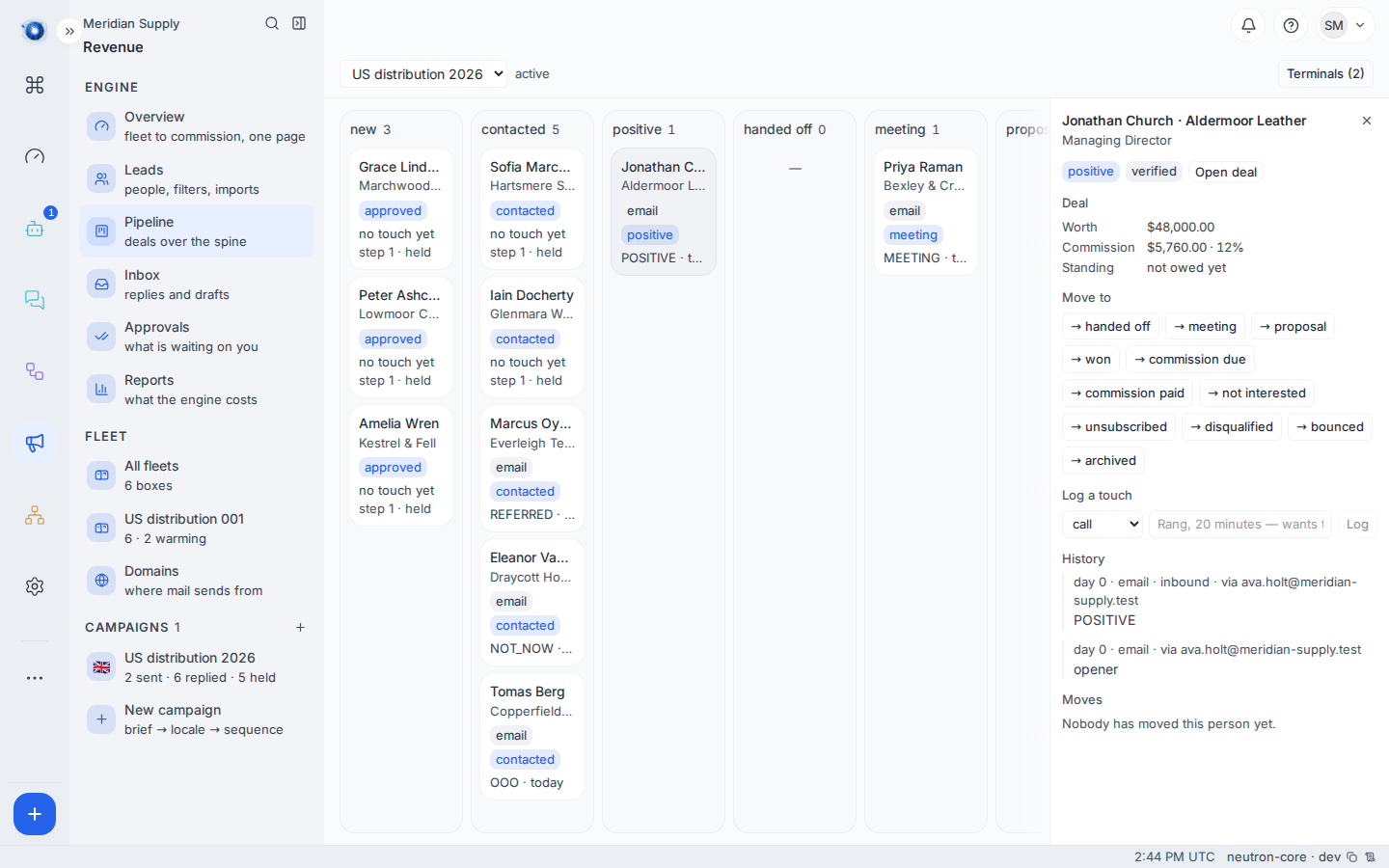
Each deal carries a value, a commission rate, and the commission that follows from them. Set the value when you know it; the commission is worked out for you.
A worked example
Jonathan Church at Aldermoor Leather replies: “Yes — send the deck over and let’s talk next week. We have looked at the United States twice and never found the right partner.”
The engine reads it as positive, cancels his remaining follow-ups, moves him along the pipeline, and drafts:
Glad it lands, Jonathan. Fourteen British makers opened United States distribution with us during 2025, and the average time from a first letter to a signed distributor agreement is nine weeks. Would twenty minutes on Tuesday or Wednesday suit?
Two claims, both approved, both cited.
Meridian Supply change “Would twenty minutes” to “Would half an hour”, approve, and it sends. A deal opens against Aldermoor Leather, valued at £48,000 at a 12% commission rate.
What to do if
No draft appeared on a positive reply. Drafts are written for positive, meeting and more-info replies only. Check the label first — a reply in To triage has no reading, so nothing was drafted.
The draft cites nothing. The campaign has no approved claims in its language. That is a fine letter to send; it just cannot make a factual claim. See journey 2.
Approve & send did nothing visible. Look at the card for a refusal in red. The three refusals above are the reasons, and each says which one it is.
The deal shows no value. Deals open with no value because nobody knows it yet. Set it on the Deals tab when you do.
Two deals for one company. They should be impossible. If you see it, note the campaign and the company.
Confirm it worked: the thread shows your sent answer with its words, and the campaign’s Deals tab has the deal in it.