3 · Importing leads
What you will have done: put a list of companies and people into a campaign, understood every row the engine refused, and found them on the Pipeline.
Two things, not one
The engine keeps companies and people apart, and the distinction matters more than it sounds.
    flowchart LR
  A["A company<br/>Aldermoor Leather"] --> B["A person<br/>Jonathan Church"]
  A --> C["A person<br/>Naomi Frost"]
  B --> D["Letters, replies, a deal"]
  C --> E["Letters, replies"]
A company is the thing you are working. A person is who you write to. One company may have several people; a deal belongs to the company, so two people answering cannot owe you two commissions.
The walkthrough
1. Open the import panel
Revenue › Leads, then Import leads. It is also on the cockpit, top right.
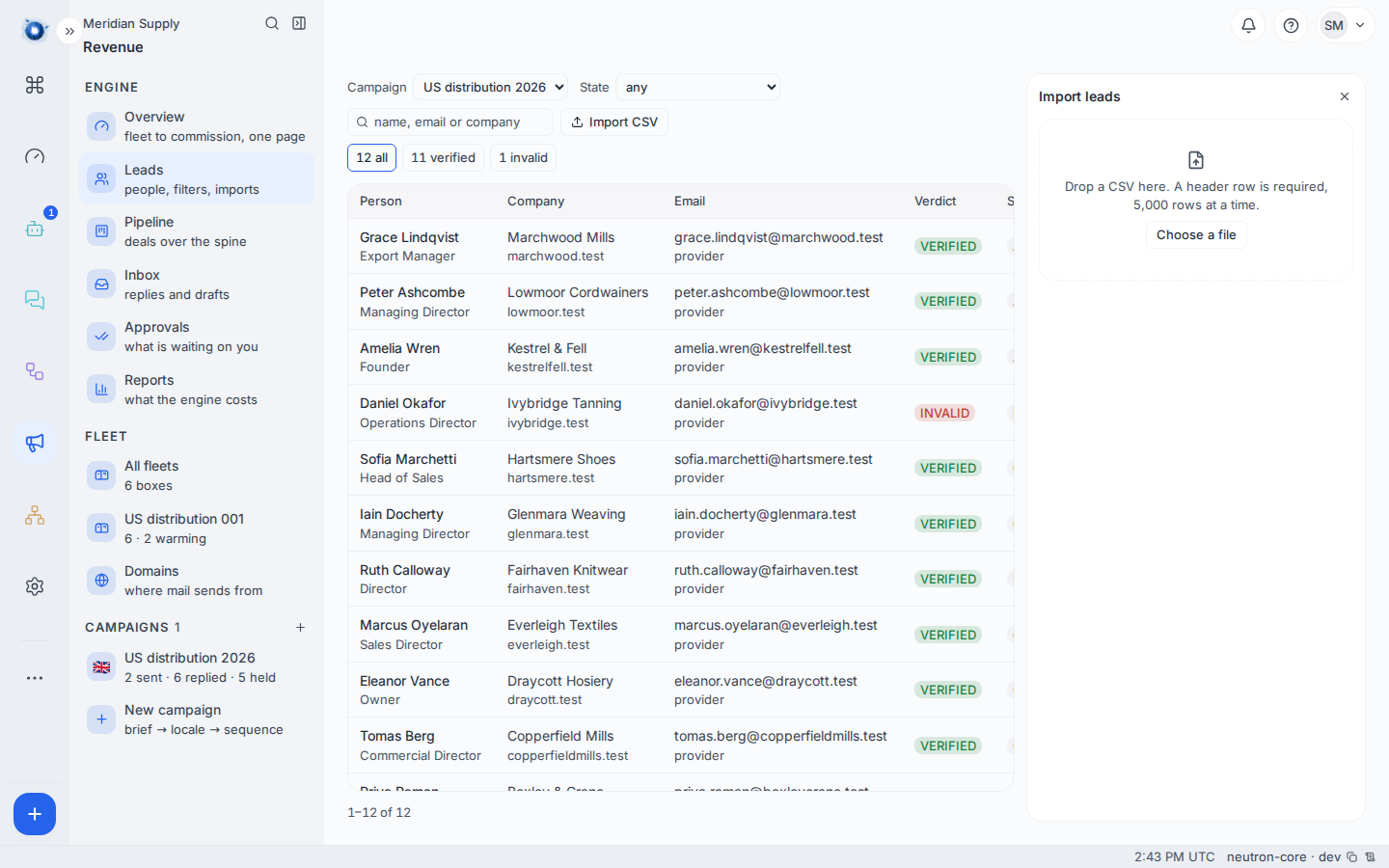
2. Get the file shape right
A comma-separated file with a header row. The columns that matter:
| Column | Needed | Notes |
|---|---|---|
company | yes | The company’s name as you want to read it. |
domain | yes | Their website domain. This is what identifies the company. |
name | for a person | Full name. |
email | for a person | Their address. |
title | no | Their role. Useful, not required. |
country | no | Two letters. |
The domain identifies the company, not the name. Two rows with the same domain are the same company however the name is spelled.
3. Read the dry run
The import does not write anything until you say so. First it shows you what would happen: how many companies, how many people, and every row it will not take.
Dropped rows come with a reason, and each reason means something specific.
| Reason | What it means | What to do |
|---|---|---|
| No domain | The row has no website. | Add one, or drop the row. |
| Already here | This domain is already in this campaign. | Nothing. It is not a mistake. |
| Suppressed | Somebody at this address asked never to be written to. | Nothing. This is the engine protecting you. |
| Not an address | The email is not a valid address. | Fix the typo and re-import. |
| No person | A company row with nobody at it. | Fine, if you meant it. The company lands with nobody to write to. |
4. Import, then look at the Leads screen
Confirm, and the rows land.
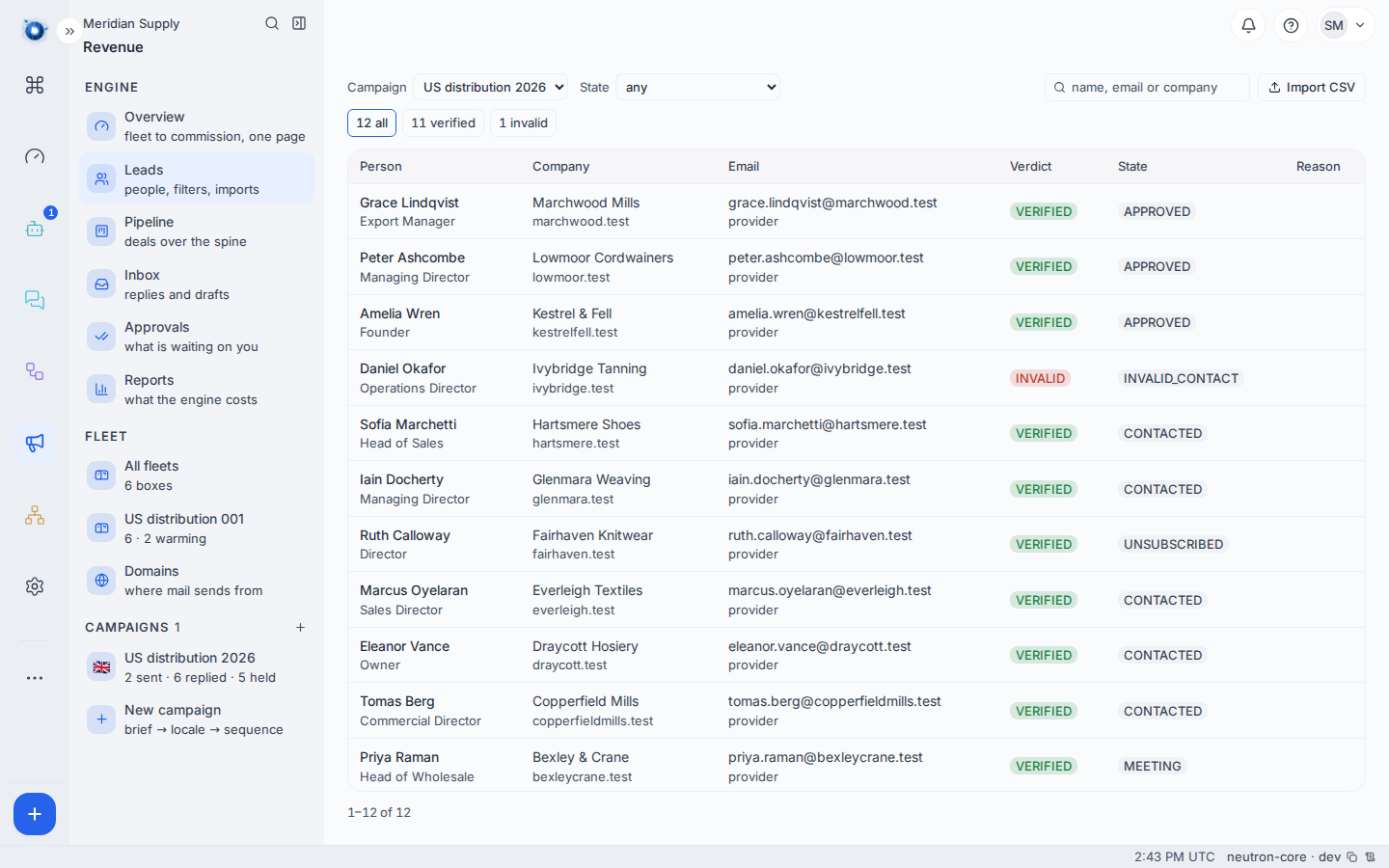
Each person carries a verification state: verified means the address was checked and answered, catch-all means the domain accepts anything so nothing can be proven, invalid means it bounced, and no email means there is nobody to write to yet.
Only verified people are written to. The rest sit there until something proves them.
5. Find them on the Pipeline
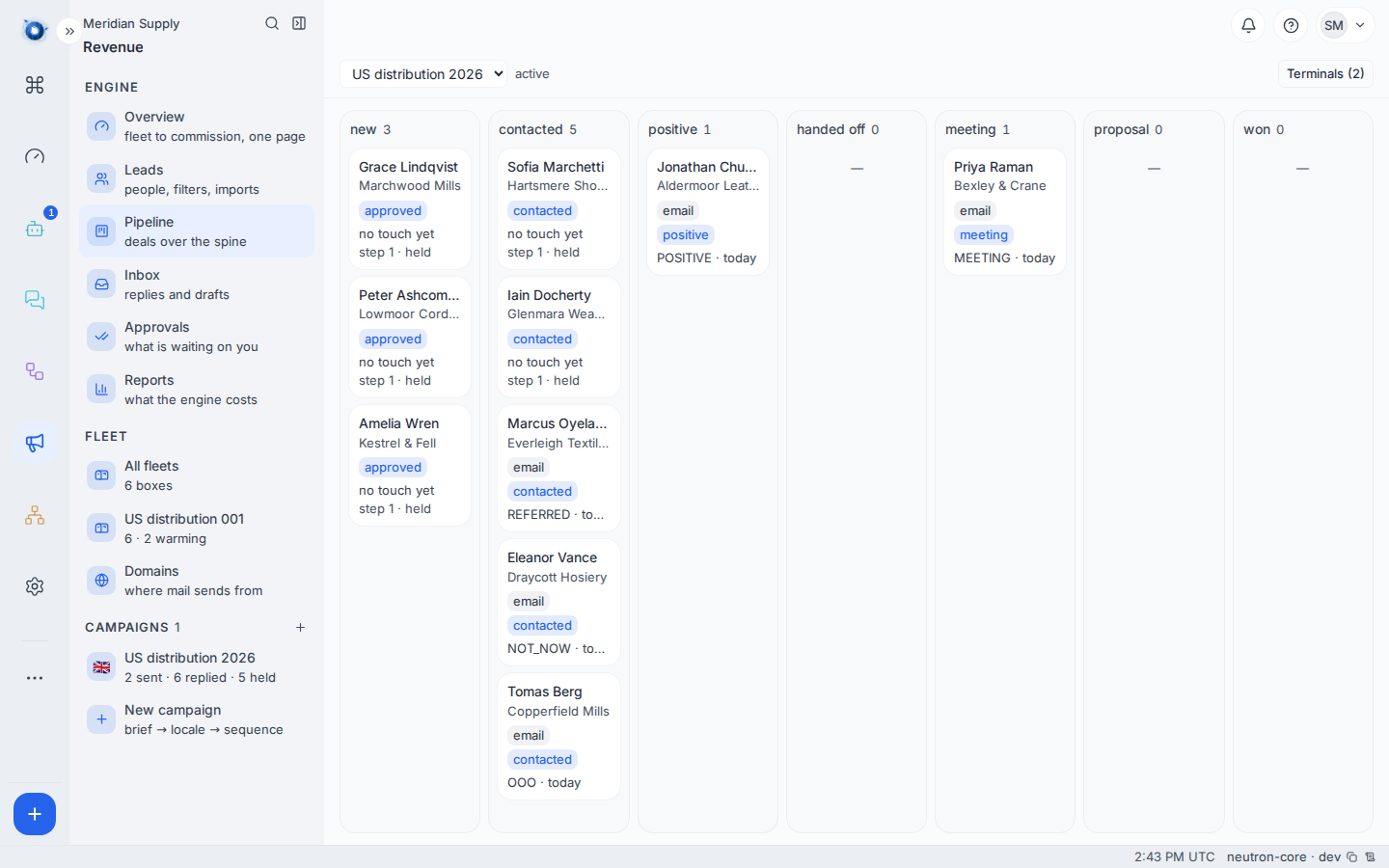
Freshly imported people appear in the first column and move right as things happen to them. Nothing has been sent yet.
6. Re-import a corrected file
Fix the file and import it again. Rows already present are recognised by domain and left alone; only the new and corrected ones land. You cannot create a duplicate company by importing twice.
A worked example
Meridian Supply import twelve companies. The dry run reports twelve companies, twelve people, and three dropped rows: one with no domain, one already in the campaign, and one address that is a typo.
They fix the typo, drop the row with no domain, and import. Leads reads 12 people · 12 verified · 3 schedulable.
Twelve verified, three schedulable — because schedulable also needs a healthy domain and a sending address, and most of their fleet is still warming.
What to do if
Everything was dropped. Almost always the header row is missing or the separator is a semicolon. Open the file in a plain text editor and look at the first line.
The counts are lower than your spreadsheet. Two rows for the same domain are one company. That is usually right.
Somebody is “catch-all” and you know the address is good. Catch-all means their mail server accepts every address, so nothing can be proven either way. Verify it another way and correct the person by hand.
People imported but the Pipeline is empty. Check the campaign filter at the top of the board — you may be looking at a different campaign.
Confirm it worked: Revenue › Leads shows the number of people you expected, and the Pipeline’s first column has them in it.