2 · Your first campaign
What you will have done: created a campaign, written the sequence of letters, decided what the letters are allowed to claim, and switched it on — with the first letter sitting in Approvals waiting for you.
What a campaign is
One piece of outbound work: a list of companies, the people at them, the letters sent, and whatever came back. It starts as three things — a name, a brief in your own words, and a language.
The walkthrough
1. Create it
Revenue › New campaign in the left rail. You are asked for a name, a brief and a language.
The brief is prose, not a form. Write what you would tell a new colleague:
British leather and knitwear makers with no United States distributor listed. We place them with regional distributors and handle the paperwork.
That sentence is what the agents use to decide which companies belong on the list. Vague briefs produce vague lists.
2. Set it up
Open the campaign and go to Setup.
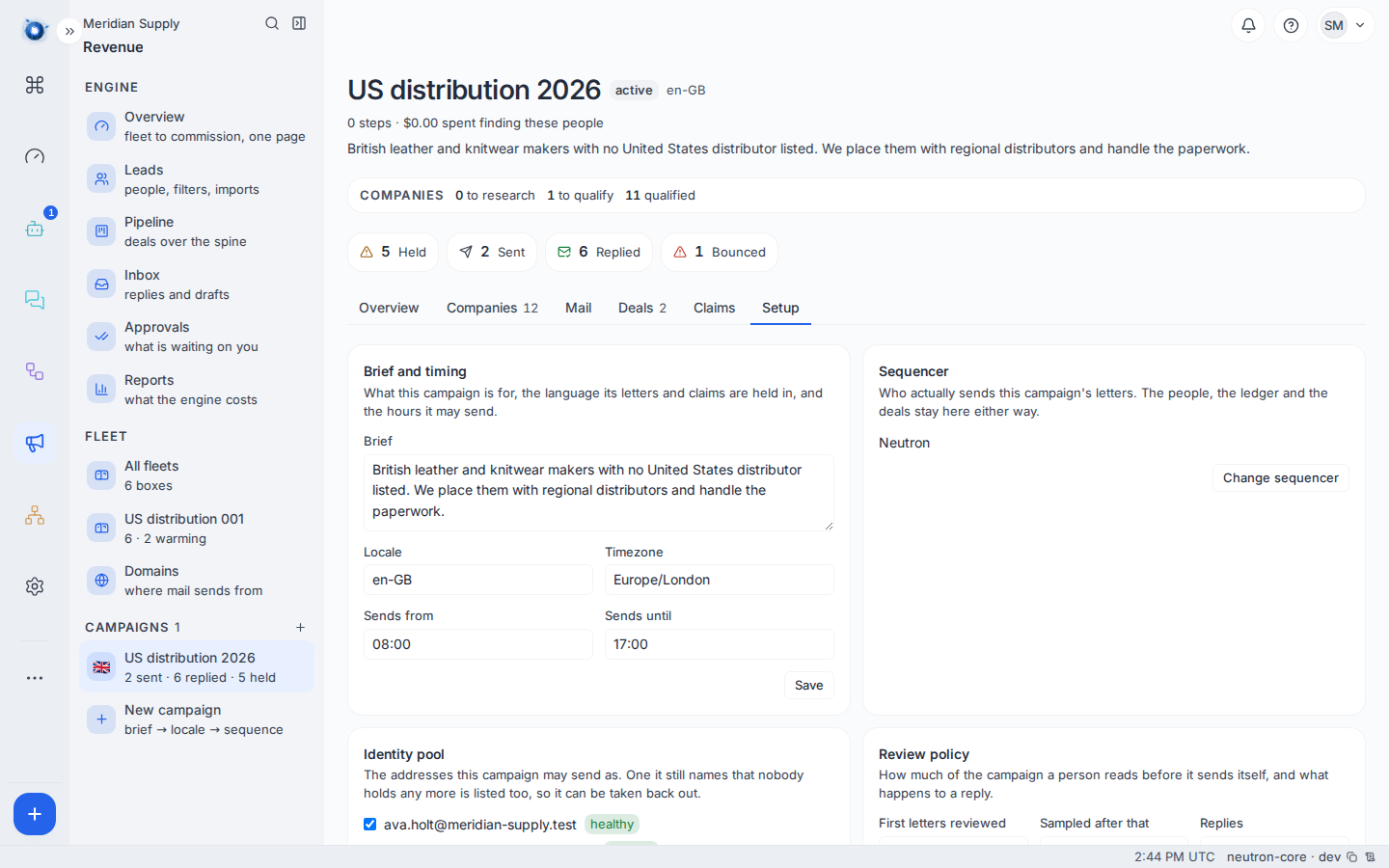
Four things matter here.
Language decides which approved claims the letters may use. Claims are approved per language, and a letter may not cite one approved for a different one.
Timezone is the clock the sending window is kept in. A campaign to British companies set to Europe/London sends during their working day, not yours.
The send window is the hours letters may go out. Outside it, they wait.
The review policy is how many letters a person reads before the campaign is trusted to send the rest itself. Set it to ten and the first ten wait for you; after that, letters of the same shape go without asking. Set it to zero and nothing is ever sent unread.
3. Write the sequence
The sequence is the letters and the gaps between them. A typical first sequence is three steps: the opener, a follow-up four working days later, and a last one a week after that.
Each step has its own text. The engine fills in the company and person; you write everything else.
Gaps are working days, not calendar days. A four-day gap on a Thursday lands the following Wednesday, not Monday.
4. Set the approved claims
Open the Claims tab.
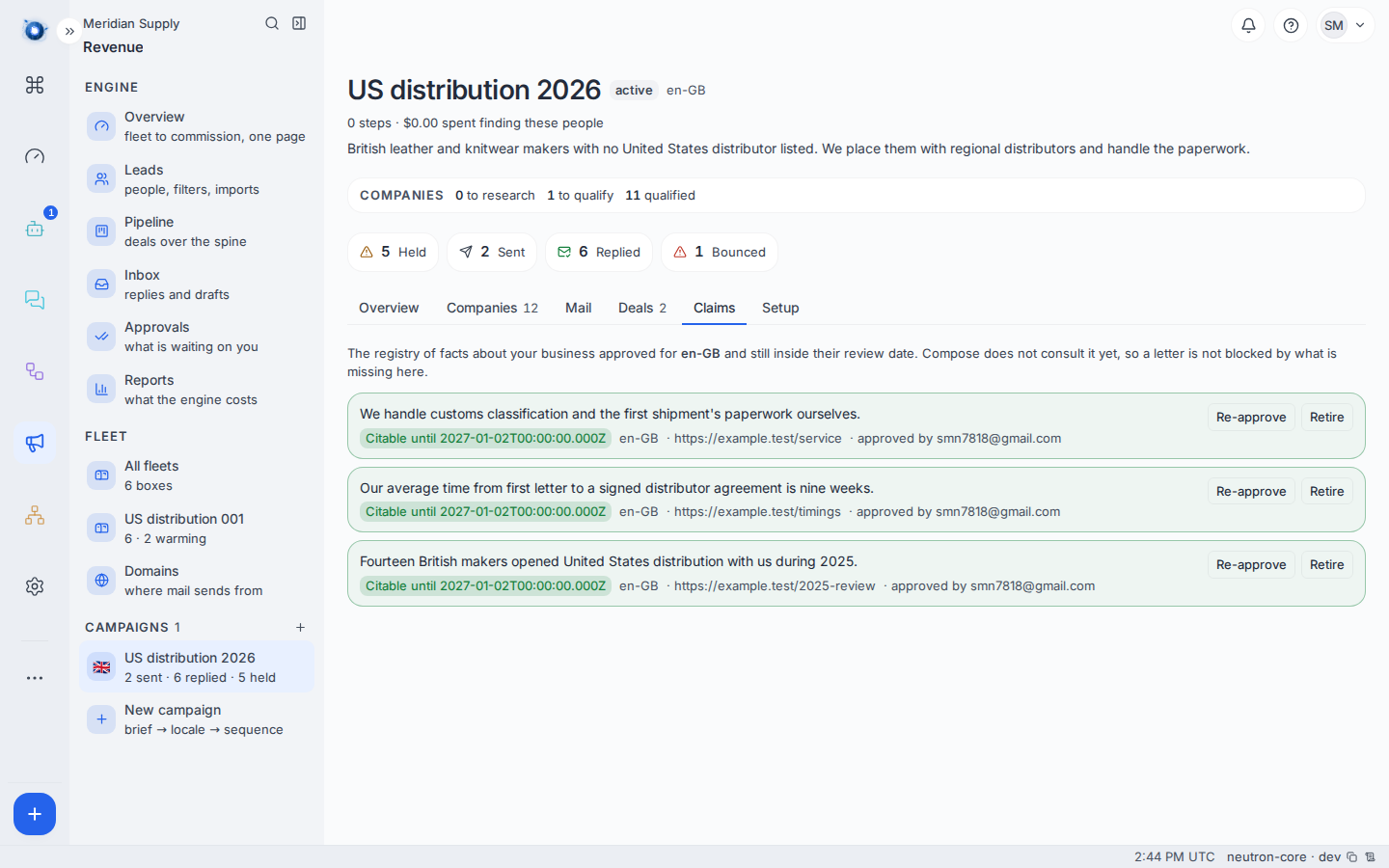
A claim is a factual statement about your business that a letter is allowed to make, with a source and a review date. For example:
Fourteen British makers opened United States distribution with us during 2025. Source: your 2025 review. Review by: January.
A letter may only say what is on this list. A drafted letter citing anything else is refused where it is written, and refused again at approval — because a claim can be retired between the two, and approving is the moment the letter becomes something you said.
This is the single most important screen for staying out of trouble. Everything the engine writes to a stranger is bounded by it.
5. Activate
Back on Setup, switch the campaign on. It now has permission to mint letters — but a letter is minted for a person, and you have no people yet. That is journey 3.
A worked example
Meridian Supply create US distribution 2026, in en-GB, on Europe/London, sending 09:00–17:00.
They write three steps and approve three claims: the fourteen makers, a nine-week average from first letter to signed agreement, and that they handle customs paperwork themselves.
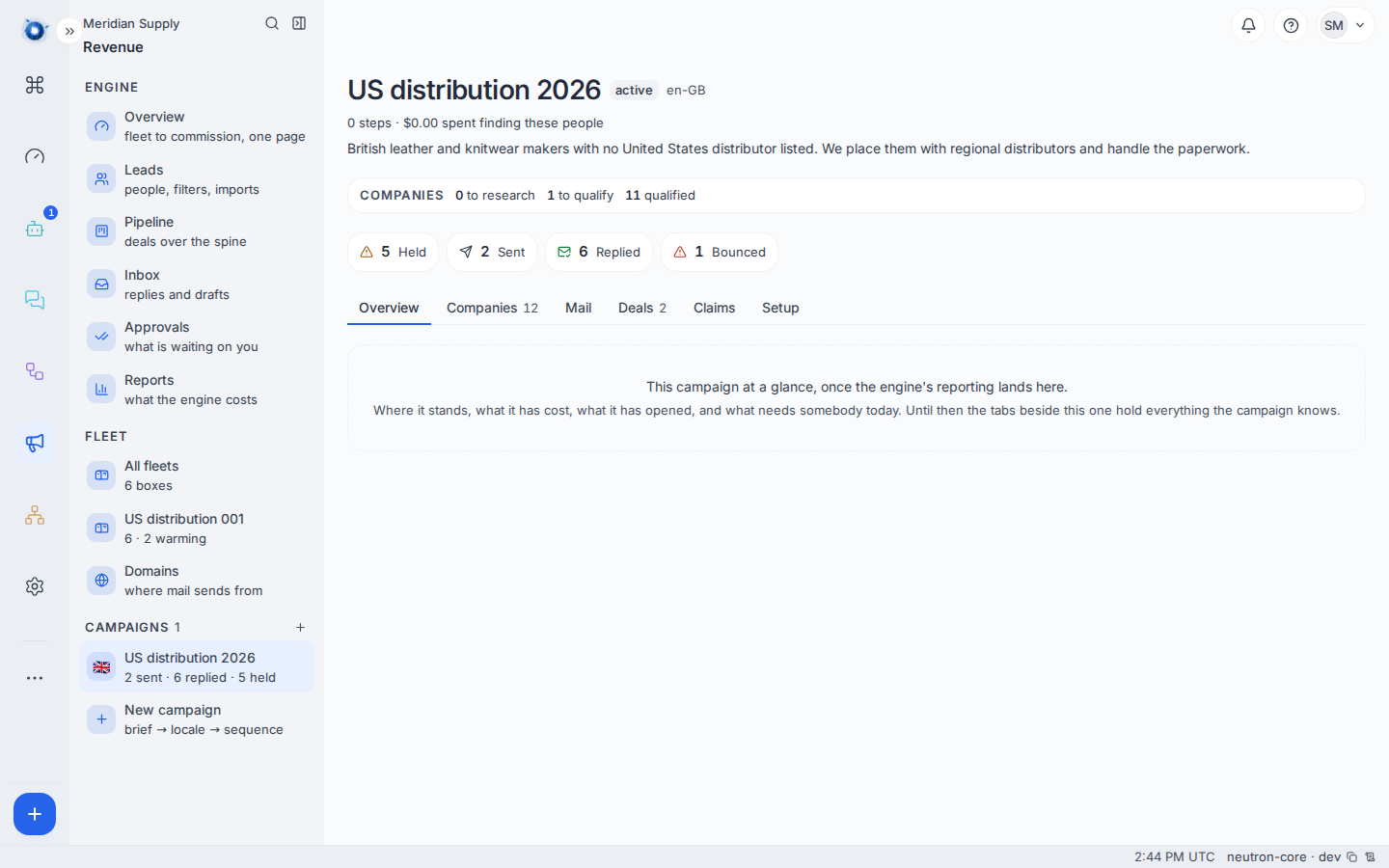
They set the review policy to twenty. The campaign is active, and the campaign row in the rail reads US distribution 2026 · 2 sent · 6 replied · 6 held.
What to do if
The campaign will not activate. Something it needs is missing — usually the sequence has no steps, or no sending address is switched on. The screen names the missing piece.
A claim will not save. Every claim needs a source and a review date. A claim with no source is an assertion, and the engine will not let a letter make one.
You want to change a letter after activating. You can. Editing a step changes every letter not yet sent. Letters already sent are history and stay as they were.
You are not sure whether the review policy is working. Look at Approvals. If letters are waiting, it is. If they are not and you expected them to be, the campaign may not be active, or the people may not be schedulable yet.
Confirm it worked: the campaign appears in the left rail with its own row, and its Setup tab reads active.